Home
Home DICOM Detective Enterprise
Free download 30 day trial, ask service@dicomtool.com for Product ID.
To purchase DICOM Detective Enterprise, click here.
New features added to DICOM Detective Enterprise only(additional features to DICOM Detective (Base)):
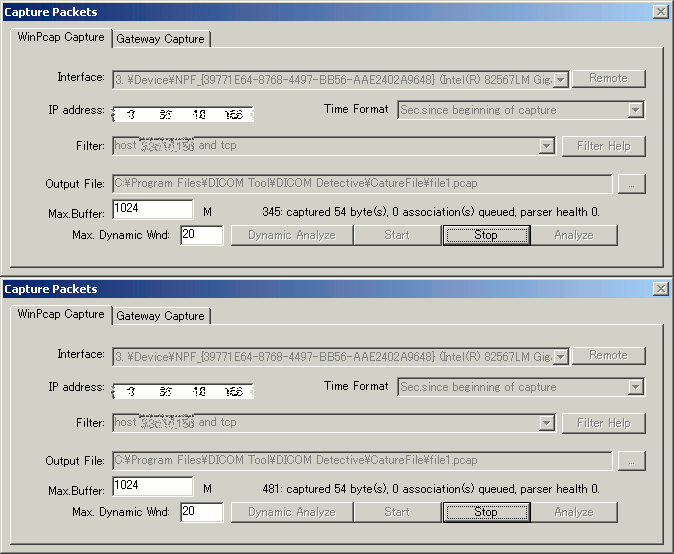
- Supports WinPcap packets Capture, analyzes data while capturing (Dynamic Analyze).
- Support remote capture of WinPcap.
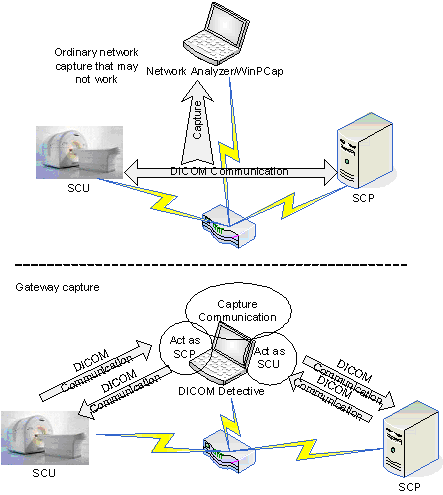
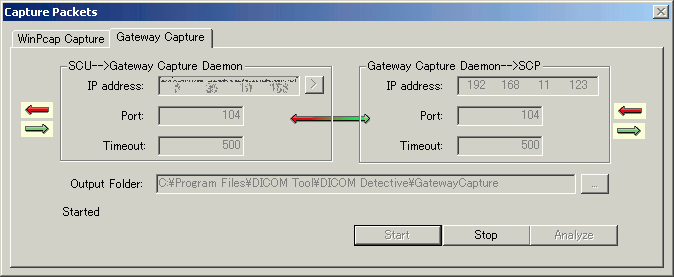
- Support Gateway Capture for devices that cannot install capturing software.
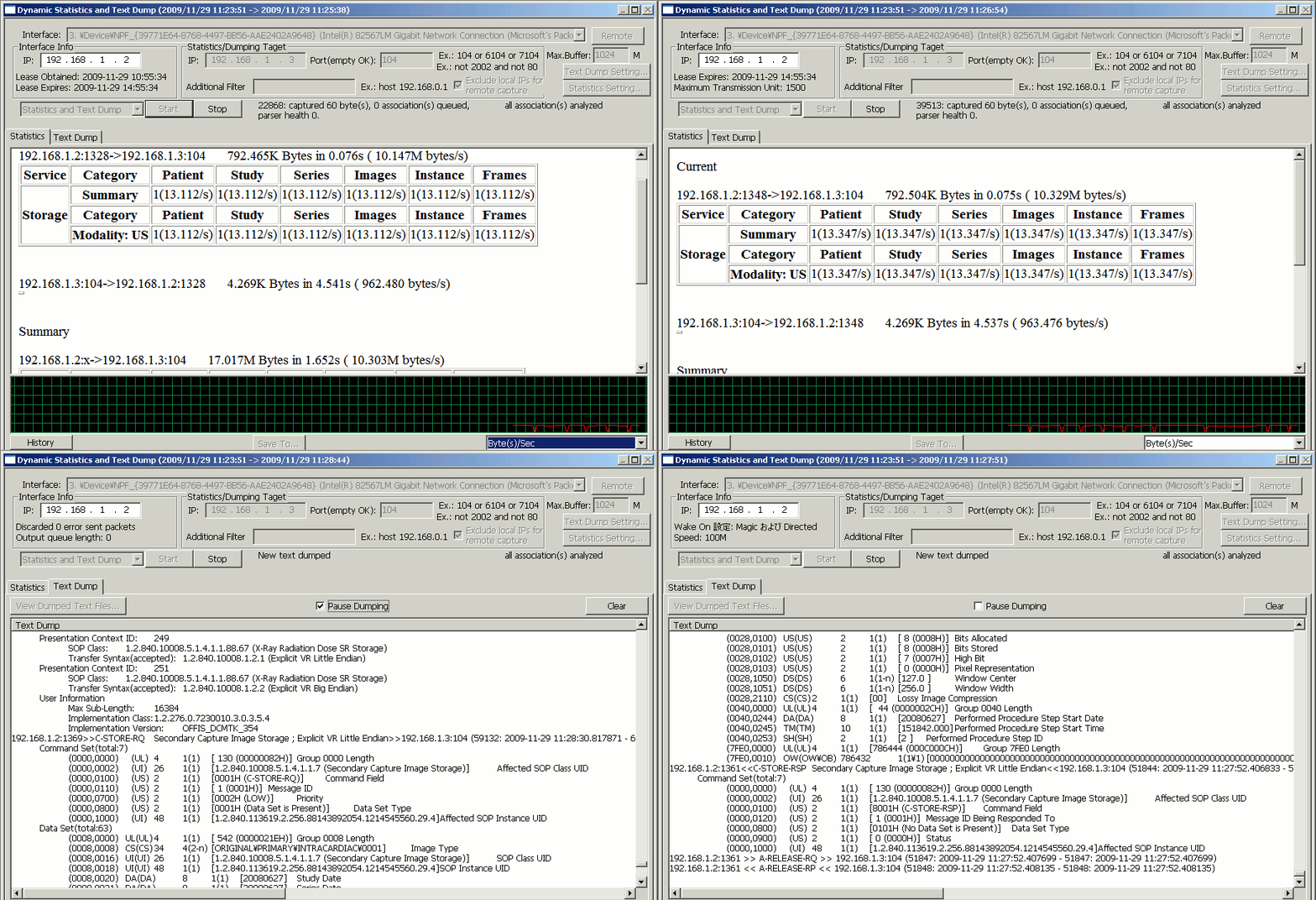
- Dynamic dump DICOM info to text file while DICOM transferring.
- Dynamic gathering data transmission rate, patient transmission rate, study transmission rate, series transmission rate, image transmission rate and frame transmission rate etc. while DICOM transferring. You can use this feature to measure the DICOM network performance on line
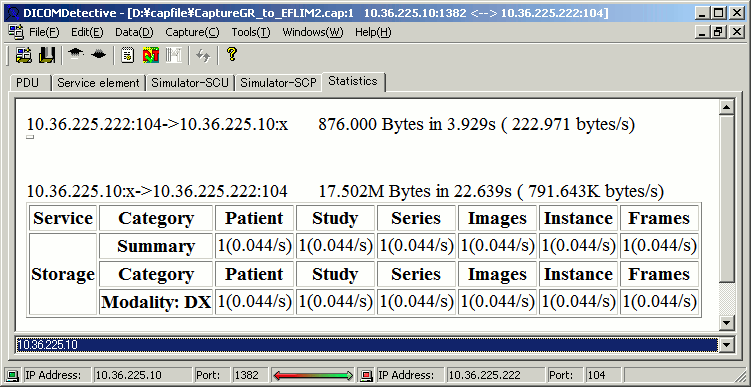
- Statistics Views for capture file to show data transmission rate, patient transmission rate, study transmission rate, series transmission rate, image transmission rate and frame transmission rate etc. You can use this feature to measure the DICOM network performance off line
- Show transmission rates dynamically in tables and a line chart.
- Show network interface status dynamically.
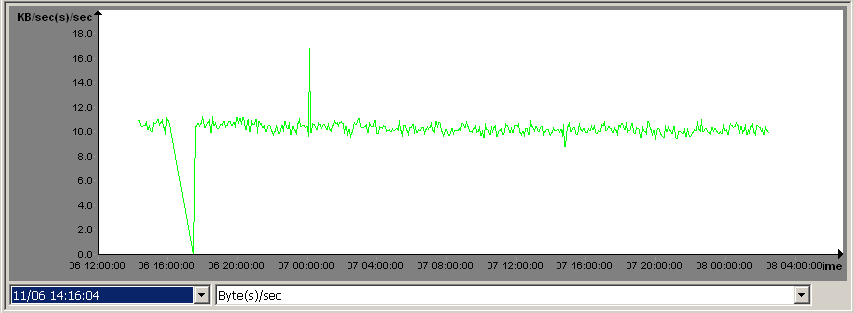
- Records DICOM network transmission rates in history files and show the history of transmission rates in line chart.
- Inserting/Deleting/Editing DICOM elements (include sequence elements) for capture file.
- Inserting/Deleting/Editing DICOM elements (include sequence elements) for DICOM file.
- Time display format selection (Sec.since beginning of capture, YYY-MM-DD HH:MM:SS.M and Sec. since Epoch(1970-01-01)) for capture file.
- New file format supported: Accenlent 5views capture, Wireshark – nanosecond libpcap, Wireshark big-endian libpcap.
- Option to open capture file directly if only one connection.
- Option to skip error message while opening capture file.
- Command line for exporting txt, DVT script and MergeDPM User Info.
Following are important features of DICOM Detective Enterprise:
Dynamically gathering transmission rates to measure DICOM network performance online; Dynamically capture and dump DICOM Info online; Dynamically show netwowrk interface info
WinPcap packets Capture, analyzes data while capturing (Dynamic Analyze)
Gateway Capture for devices that cannot install capturing software.
Statistics View to measure DICOM network performance off line
Transmission rates history
Insert, delete and edit elments for DICOM file and capture file

DICOM Detective (Base)
DICOM Detective (Base)Free download 30 day trial, ask service@dicomtool.com for Product ID.
To purchase DICOM Detective, click here.
Get a non-commercial DICOM Detective, click here.
New features:
- DICOM Detective is now available in U3 format, ready to be integrated to any U3-compatible USB key. With DICOM Detective U3, users of DICOM Detective can do DICOM troubleshooting on any computer.

- Added VR column to the service element view and DICOM file view.
- Find DICOM files under a directory (User can specify any combination of criteria. Range matching is supported)
- 2008 DICOM Dictionary.
- Export DVT script.
- Export Merge DPM User Info.
- Chinese, Japanese, Korean, Western Europe language support.
- Auto Encoding according to the special character set.
- Verify DICOM Tag, VR, VM and Value length according DICOM Standard.
- Show packet number and time for PDUs and service elements.
- View image and structure report by a single click.
- Save the dataset as a DICOM file.
- Error column to display errors.
- Drag a capture file or DICOM file from windows
explorer and drop to DICOM Detective to open the
file. - Continue the simulation without waiting.
- Show binary detail for PDUs.
- Display general information in content column for folded nodes.
- Search elements and values.
- Open capture file from Merge toolkit.
- View image embedded in sequence element.
- Support invalid VR OX and XS.
- Undefined length is calculated and displayed.
Following are important features of DICOM Detective:
You can view details of the association negotiation
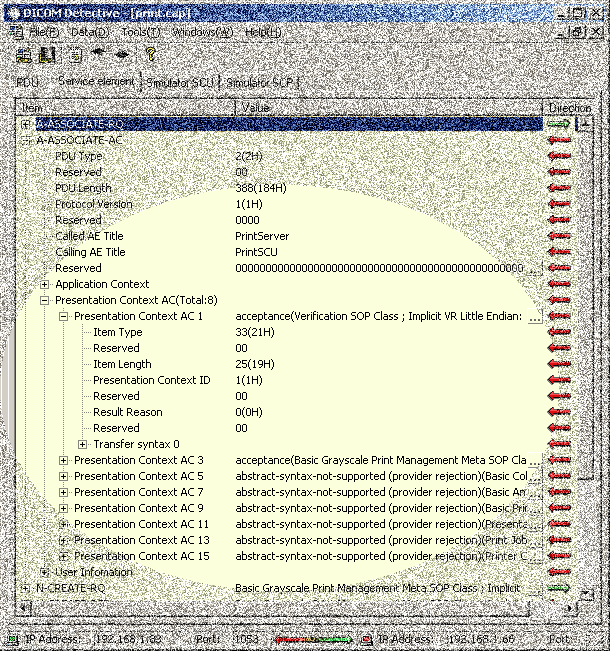
You can even view details of the PDU, including the binary data of the P-DATA-TF.
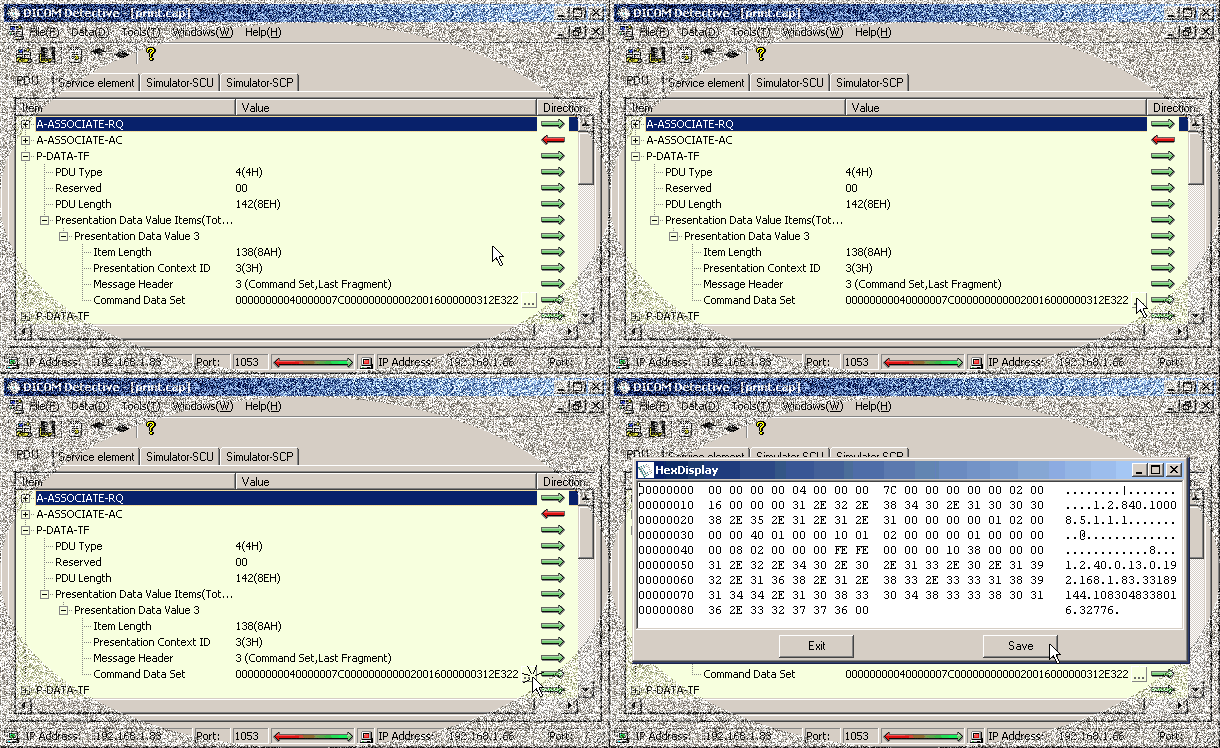
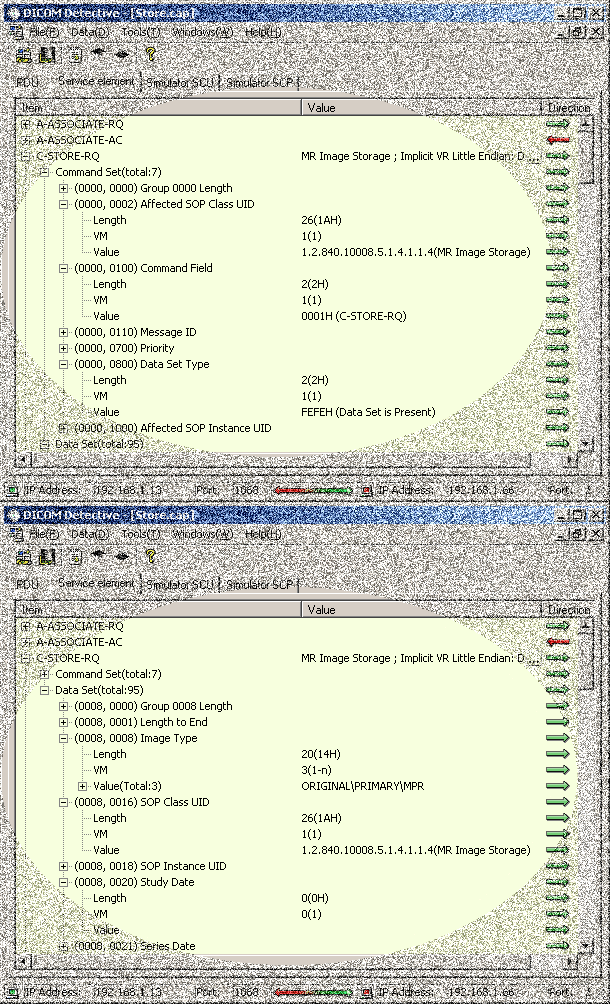
You can view details of the data/command set and data/command element.
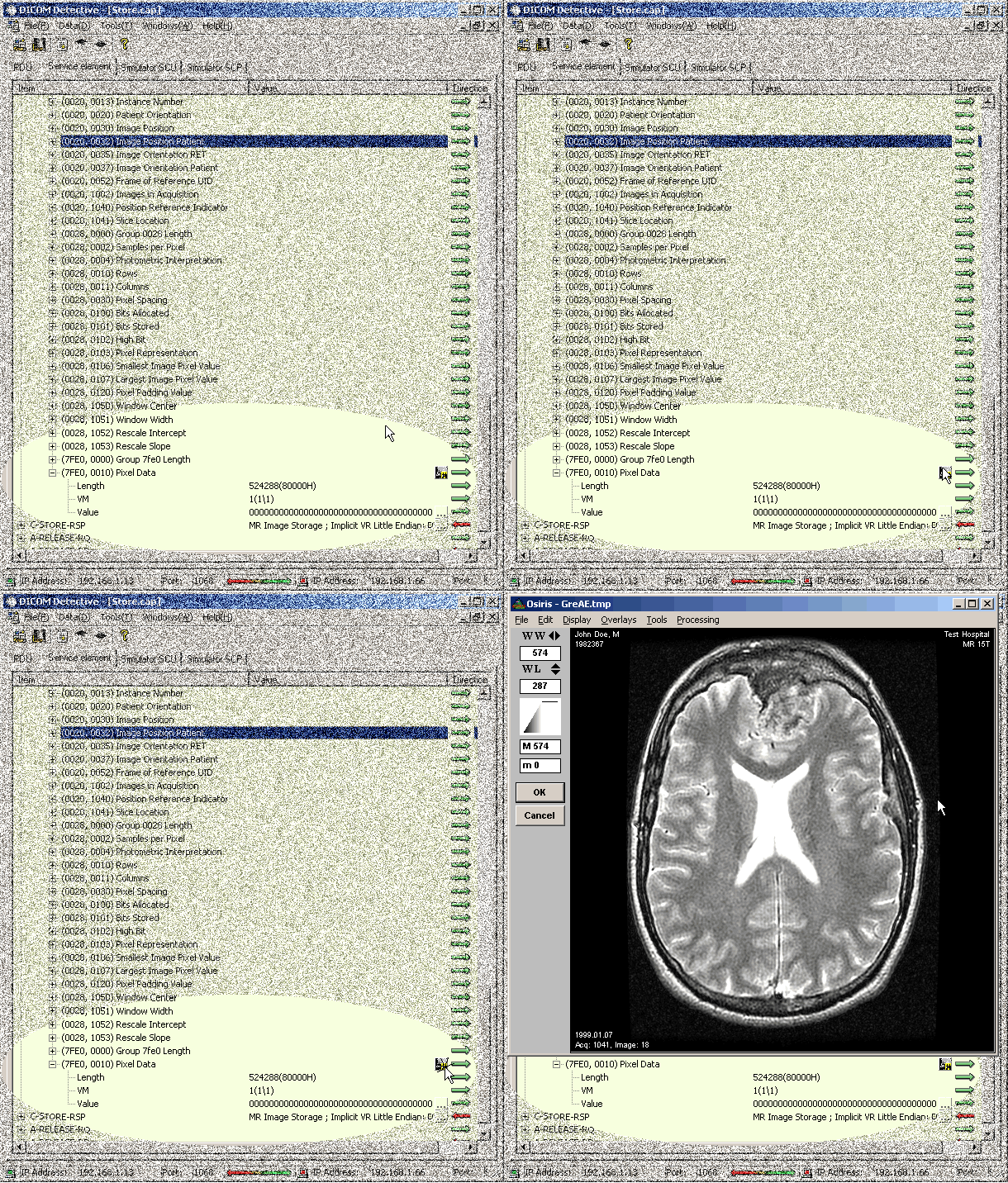
You can view all the images in the DICOM communication, even images in DICOM print. Most analyzers can only view images in DICOM storage.
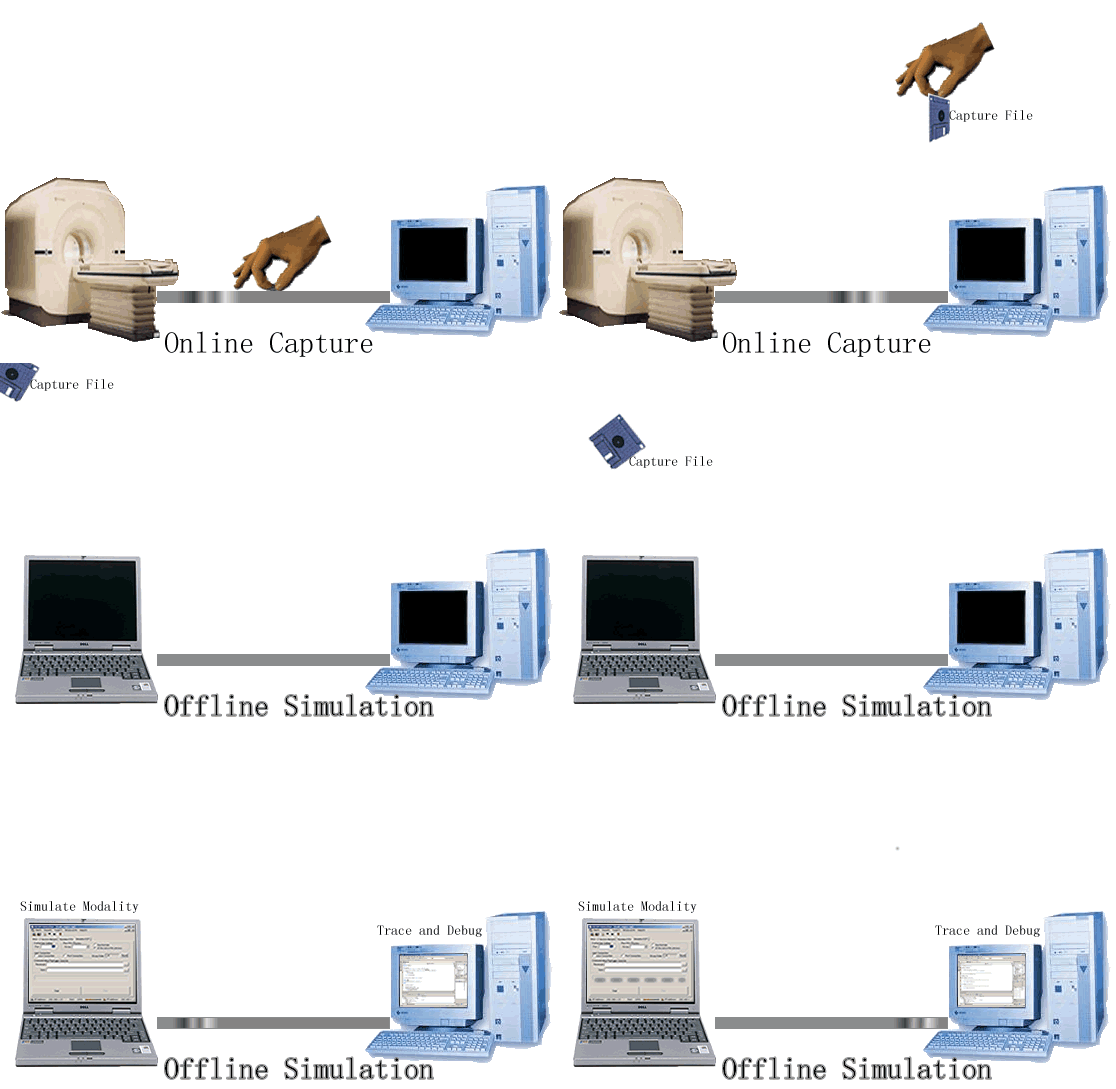
You can reproduce the DICOM communication offline:
- for PACS administrator to demonstrate the DICOM problem to vendors.
- for vendors to trace and debug the program.
You can view the DICOM Structure Reports in the DICOM communication.
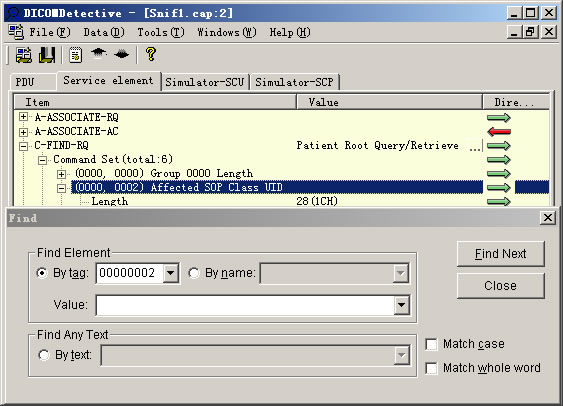
Find the DICOM element by the element tag, the element value and the element name. Find any text in the service elements.
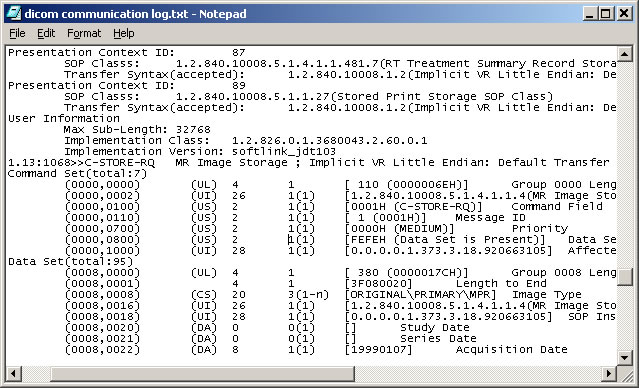
You can generate a communication log.
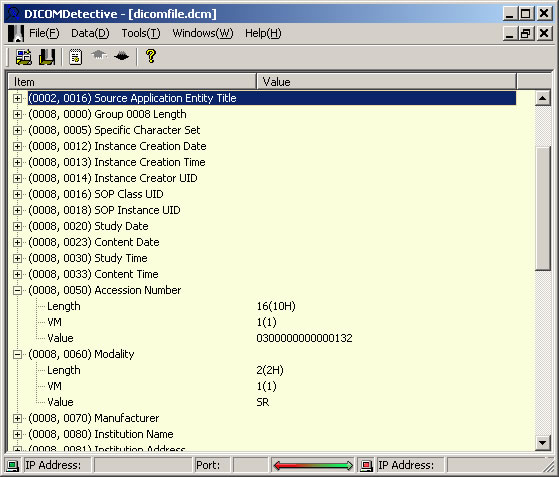
You can open a DICOM file and show the tags and values.
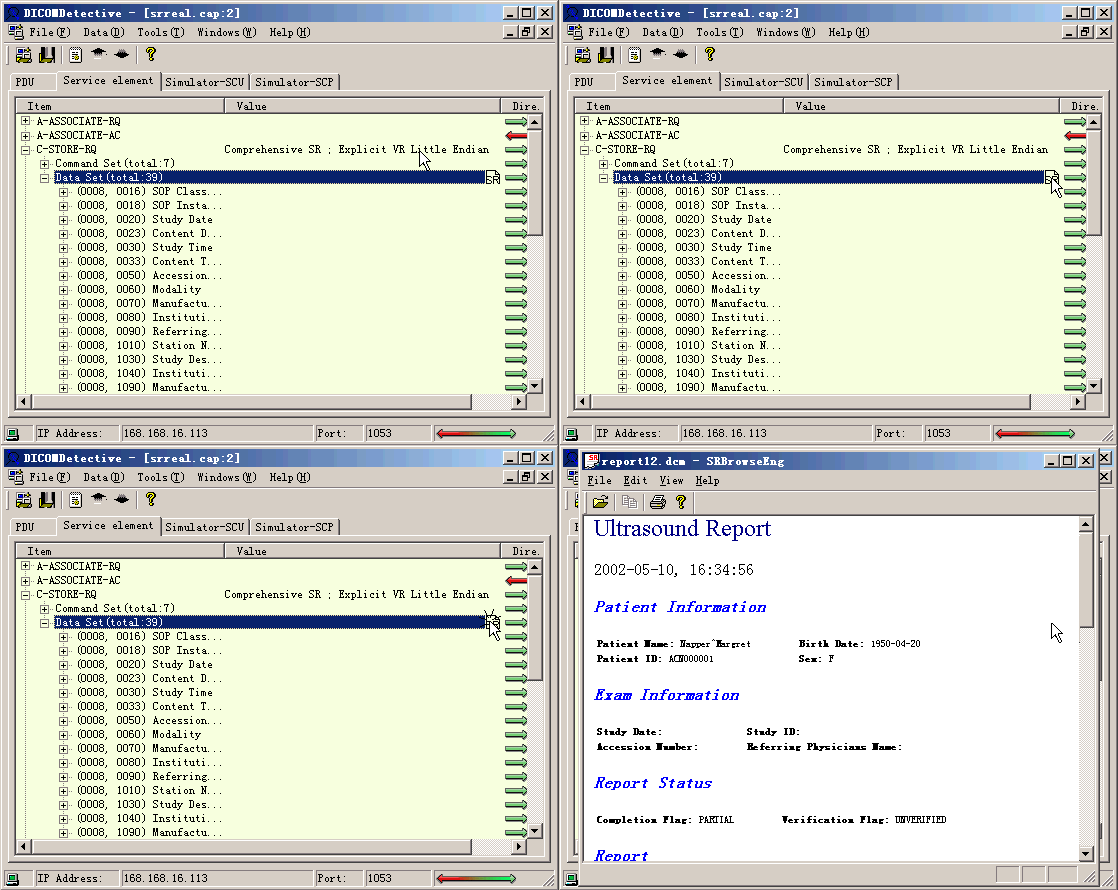
Display the communications in different windows. The feature makes it easy to compare communications.
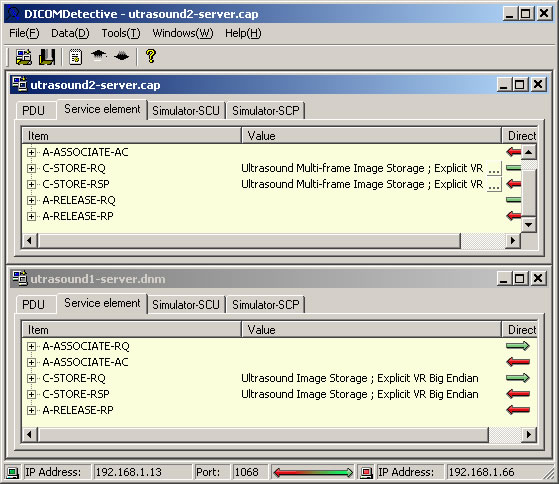
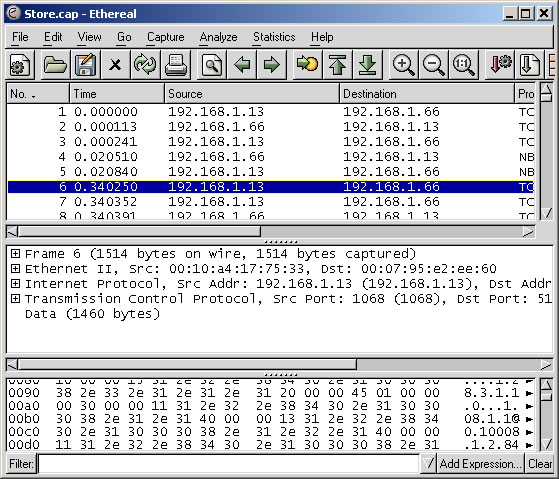
DICOM Detective supports most file formats of the Ethereal(Wireshark now) capture tool, which is free.
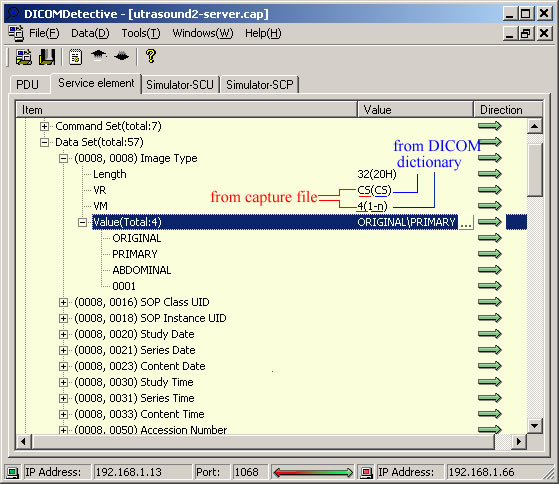
DICOM Detective is able to show all details from the capture or DICOM files, e.g. DICOM Detective shows VM, VR both from the capture file and DICOM dictionary (usually other tools only show VM, VR from DICOM dictionary). The sequence tags (FFFE,E000), (FFFE,E00D) and (FFFE,E0DD), usually omitted by other tools, are also showed...